
Cline Integration
Cline is an AI coding assistant for VS Code that helps you write, refactor, and debug code through natural language. This guide shows you how to connect Cline to AIShop24H.
Prerequisites
Section titled “Prerequisites”- VS Code installed
- Cline extension installed (VS Code Marketplace)
- AIShop24H API key (Get one here)
Configuration
Section titled “Configuration”- Open VS Code and click the Cline icon in the sidebar
- Click the settings icon (⚙️) in the top-right corner
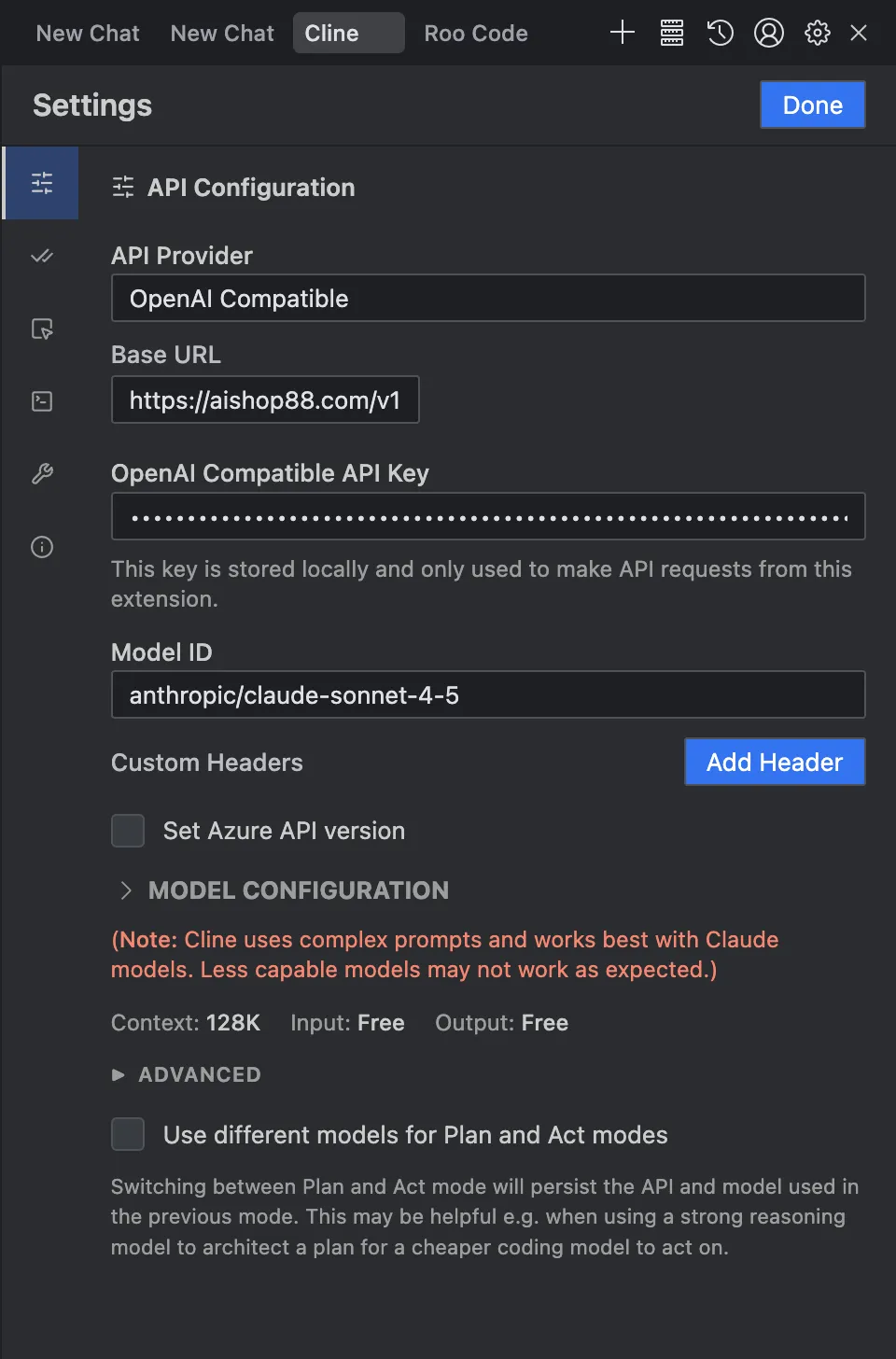
- Configure the following settings:
| Setting | Value |
|---|---|
| API Provider | OpenAI Compatible |
| Base URL | https://aishop24h.com/v1 |
| API Key | Your AIShop24H API key |
| Model ID | anthropic/claude-sonnet-4.5 (or your preferred model) |
Available Models
Section titled “Available Models”| Model | Model ID |
|---|---|
| Claude Opus 4.6 | anthropic/claude-opus-4.6 |
| Claude Opus 4.5 Thinking | anthropic/claude-opus-4.5-thinking |
| Claude Sonnet 4.6 | anthropic/claude-sonnet-4.6 |
| Claude Sonnet 4.5 | anthropic/claude-sonnet-4.5 |
| Claude Sonnet 4.5 Thinking | anthropic/claude-sonnet-4.5-thinking |
| Claude Haiku 4.5 | anthropic/claude-haiku-4.5 |
| Gemini 3 Flash Preview | google/gemini-3-flash-preview |
| Gemini 3 Pro Preview | google/gemini-3-pro-preview |
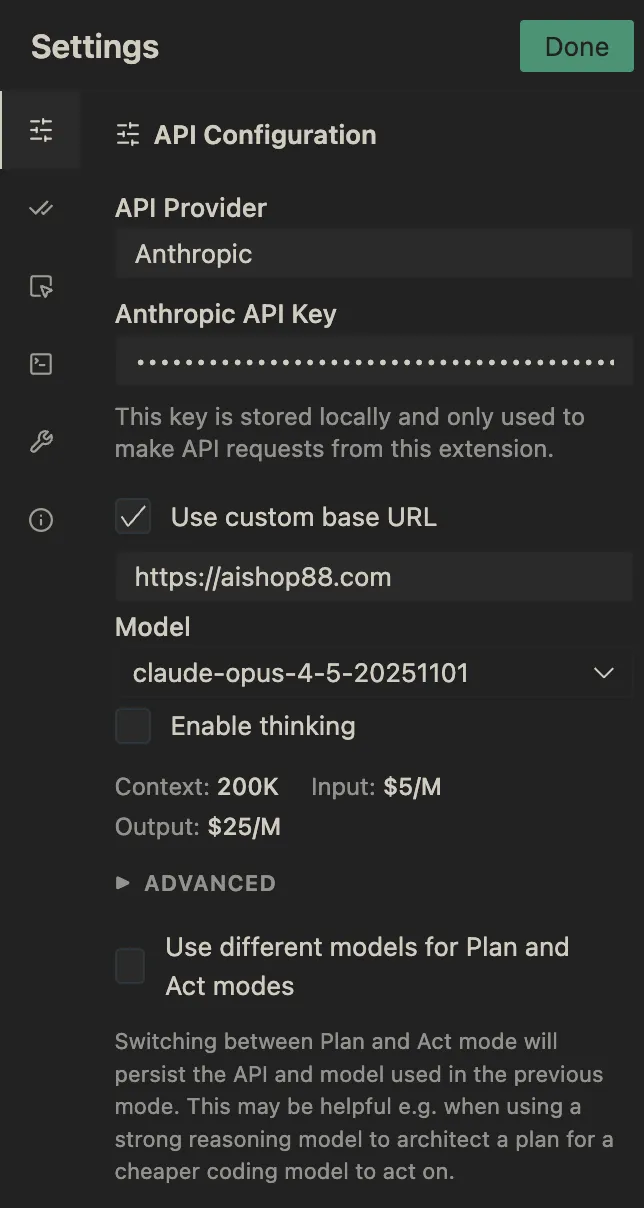
| Setting | Value |
|---|---|
| API Provider | Anthropic |
| Base URL | https://aishop24h.com |
| API Key | Your AIShop24H API key |
| Model ID | anthropic/claude-sonnet-4.5 (or your preferred model) |
Supported models: claude-sonnet-4-5-20250929, claude-sonnet-4-5-20250929:1m, claude-opus-4-5-20251101, aclaude-haiku-4-5-20251001
- Click Done to save
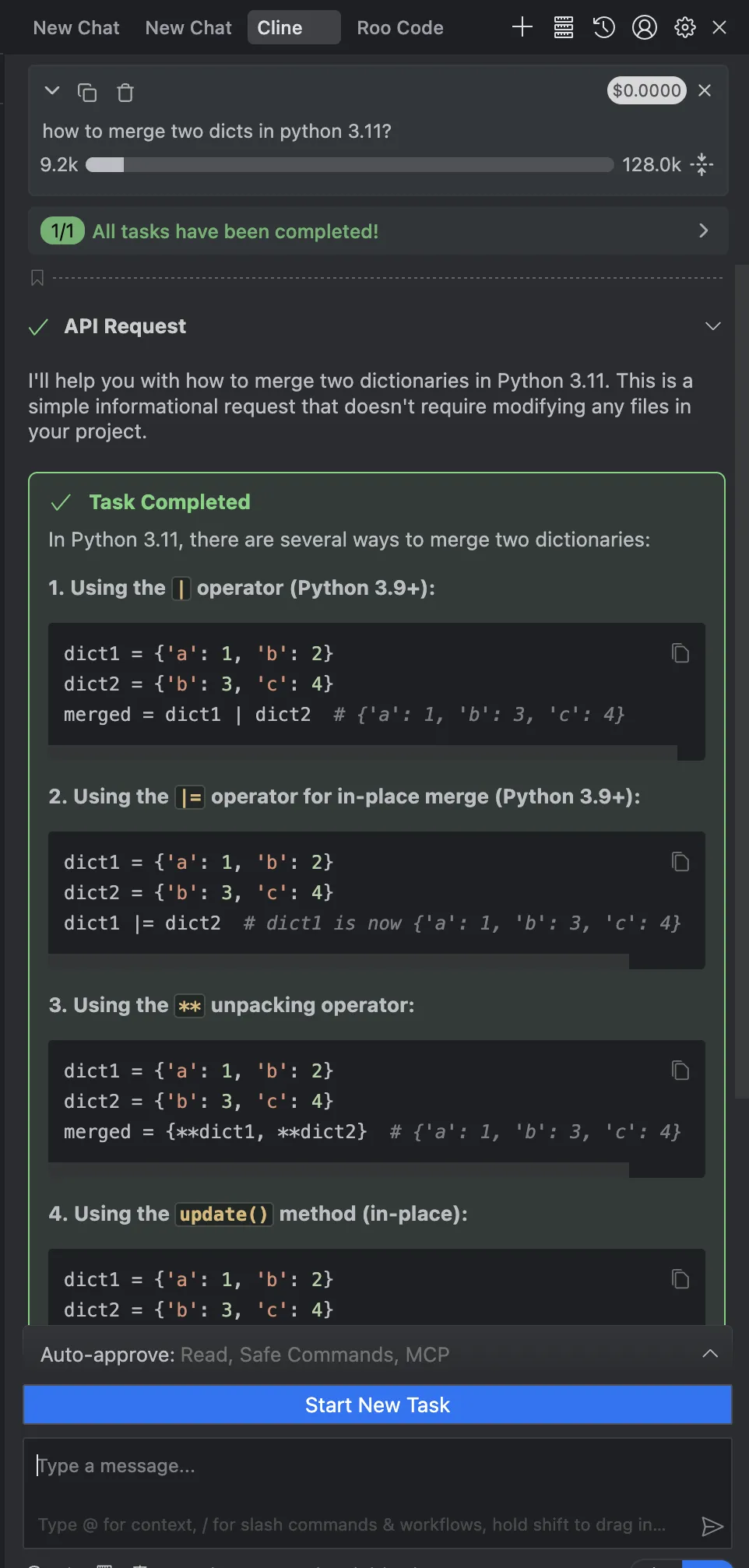
After configuration, Cline is ready to use. Open the Cline panel and start chatting to:
- Generate new code
- Refactor existing code
- Debug issues
- Explain complex code
Troubleshooting
Section titled “Troubleshooting”Invalid API Key
Section titled “Invalid API Key”Problem: “API Key invalid or unauthorized” error
Solutions:
- Verify your API key is correct
- Check your account has sufficient balance at AIShop24H Dashboard
- Ensure no extra spaces in the API key field
Connection Failed
Section titled “Connection Failed”Problem: Unable to connect to API
Solutions:
- For OpenAI Compatible: Base URL must be
https://aishop24h.com/v1 - For Anthropic: Base URL must be
https://aishop24h.com - Remove any trailing slash from the URL
- Check your internet connection
- Test with curl:
Terminal window curl https://aishop24h.com/v1/models \-H "Authorization: Bearer YOUR_API_KEY"
Model Not Found
Section titled “Model Not Found”Problem: “Model not found” or “Invalid model” error
Solutions:
- Use the exact model ID format (e.g.,
anthropic/claude-sonnet-4.5) - Verify the model is available in your subscription
- Check for typos in the model ID
Support
Section titled “Support”- Official Website: https://aishop24h.com
- API Documentation: https://docs.aishop24h.com
- Cline Documentation: https://docs.cline.bot